




Minutes Since New Low
Table of Contents
Understanding the Minutes Since New Lows Filter
This filter measures the number of minutes that have elapsed since the stock last reached a new daily low. For example, if a stock made a new daily low 7 minutes ago, its value would be 7.
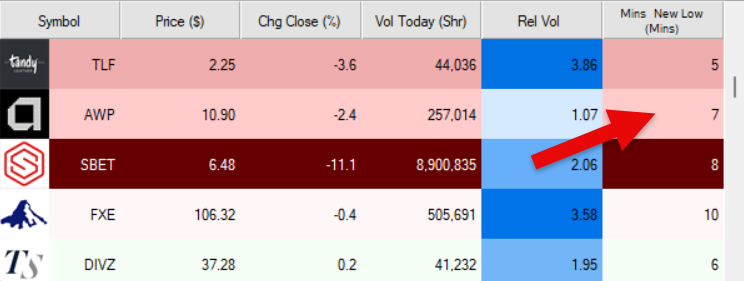
You can use the minimum and maximum settings together to define a time range for when the stock last made a new daily low.
Minutes Since New Lows Filter Settings
The settings of each Trade Ideas filter are defined in the Window Specific Filters Tab located in the Configuration Window of your Alert/Top List Window.
Here is how to setup the filter in your configuration window:
- Setting min to 15 will return stocks that have not made a new daily low in at least the last 15 minutes.
- Setting max to 15 will return stocks that have made a new daily low within the last 15 minutes.
This can be useful for identifying stocks that are either actively breaking down or have recently stopped making new lows.
Filter Info for Minutes Since New Low [NLPAgeM]
- description = Minutes Since New Low
- keywords = Highs and Lows Single Print
- units = Minutes
- format = 0
- toplistable = 1
- parent_code =