
Light Mode

Stock Ratings, Plus Real-Time Alerts, AI and Backtesting
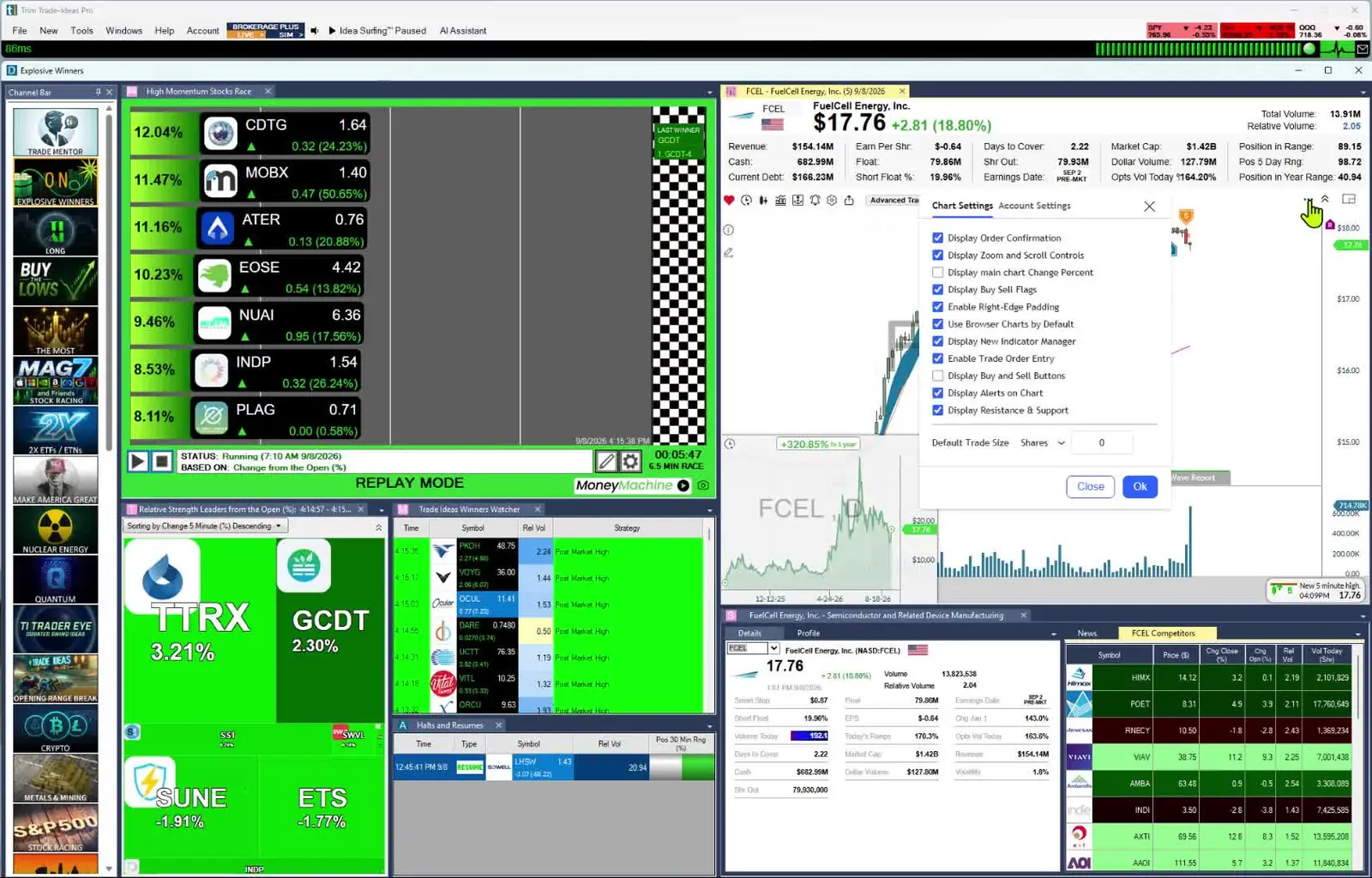
Trade Ideas does what VectorVest does, and much more. VectorVest is a stock-rating and advisory system. It scores every stock for value, safety and timing and gives a Buy, Sell or Hold call. Its focus is daily analysis and longer-term investing. Trade Ideas rates stocks too. Its SCoRE rating grades each stock from 30 to 100 and updates live during market hours. Then it goes much further. Streaming Alerts, the scanner, can fire on every trade; on an active stock that is many times a second. The screener, called the Top List, puts the qualifying stocks in rank order. Holly AI Signals, OddsMaker backtesting and Money Machine automation are there as you grow.
Still deciding? The VectorVest alternatives page groups other tools by the job you want done.
Free account, just an email. No card. Live access for a limited time.

Named to the Inc. 5000 list of America’s fastest-growing private companies six years in a row (2017–2022).
Investopedia: Best Short Term Stock Screener, 2024
Dr. Bart DiLiddo founded VectorVest in 1988. Its product page says it analyzes 16,000 stocks every day and tells you “when to buy, what to buy, and when to sell.” It has three main parts:
Coaching is a big part of VectorVest. A VectorVest coach records the Color Guard market analysis at the close of every trading day. Subscribers also get coach-led onboarding, free education courses and U.S.-based phone support. VectorVest sells Market Launchpad, a simpler app for investors, and two tiers of its VectorVest 7 desktop software, Enhanced and Premium.
VectorVest's pricing page lists a different data speed for each plan:
On Premium, VectorVest says its VST analysis, Buy, Sell, Hold ratings and preset screeners update as the market moves. VectorVest also explains who needs real-time data. If you open and close positions in the same session, it says a 15-minute delay changes your entry, so Premium is the right fit. If you review your portfolio daily or weekly, it says Enhanced covers you.
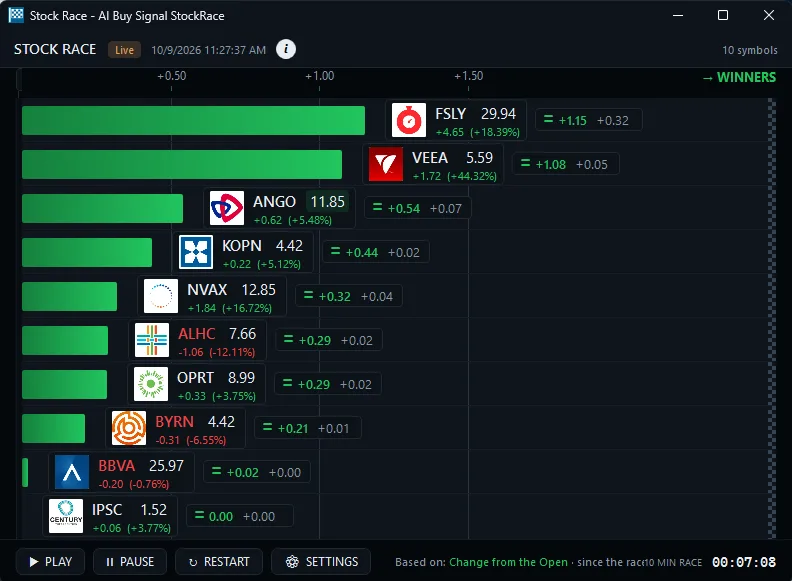
Trade Ideas runs on live market data. Streaming Alerts and the Top List (Screener) are real-time on both plans.
Here is what VectorVest's own pages list. Real-time U.S. data is on the Premium plan.
Here is what we did not find. VectorVest's product and pricing pages don't describe a scanner that watches every stock and reports each price or volume event the moment it prints. That is the job of Trade Ideas Streaming Alerts. The Top List then sorts the qualifying stocks into a live ranking. VectorVest's pages also don't list how often Super WatchDog checks its searches.
Trade Ideas turns the kind of technical searches VectorVest lists, such as MACD and moving average crossovers, into live alerts on intraday bars: a 5-minute MACD crossing below signal, a 15-minute 8/20 SMA cross up, or a 10-minute opening range breakout, with breakout and breakdown versions at 1, 2, 5, 10, 15, 30 and 60 minutes.
Across the product there are 308 alerts and 249 filters, and each has a help page of its own. Any alert can be combined with any filters, each given a min and max, and 191 alerts accept a setting of their own, such as the days of lookback on a New High. That puts the possible scans at effectively unlimited.
SCoRE stands for Stock Composite Rating. It is Trade Ideas' own rating of a stock's technical and fundamental strength. It rolls more than 15 metrics into one number from 30 to 100. Most of those metrics are technical, with key fundamental data points added. A rating of 90 or above is generally excellent. A rating of 80 to 89 is good.
SCoRE updates in real time during live market hours. It also plugs straight into Streaming Alerts and Top Lists (Screeners) as a filter. A common setting is a minimum SCoRE of 90 to surface quality names. Pair it with liquidity and price filters so a high rating still points to a stock you can trade. That way a quality rating and real-time discovery work together.
You see a high-rated stock the moment it starts to move. Because SCoRE is a filter (called Composite Rating in Trade Ideas), Trade Ideas' AI can also use it when it designs a strategy. It brings SCoRE in where it is appropriate to look for a statistical advantage. Past results, including backtests, don't guarantee future results.
SCoRE is a quality filter, not a buy or sell signal. Use it to narrow the list. Then confirm with chart structure and your risk rules. VST and SCoRE do different jobs. VST comes with a Buy, Sell or Hold call for investors. SCoRE helps traders find quality names inside a live scan. Learn more in SCoRE explained and the Stock Composite Rating filter guide.
| Feature | VectorVest | Trade Ideas |
|---|---|---|
| Main job | Rates every stock and gives a Buy, Sell or Hold call, with market timing for investors. | Finds U.S. stocks as they move, with Streaming Alerts (the scanner) and the Top List (the screener). |
| Stock rating | VST ratings (RV, RS, RT), refreshed daily, live on Premium. | SCoRE, 30 to 100, live during market hours, usable as a scan filter. |
| Data speed | 15-minute delay on Market Launchpad and Enhanced. Real-time U.S. data on Premium. Europe and Australia are end-of-day. | Live market data on both plans. |
| Scans and screeners | Auto-ranked preset screeners. Custom screener builder on Enhanced and Premium. ProTrader technical searches on Premium. | Ready-made Channel Bar channels in every plan, plus 308 alerts and 249 filters and the Formula Editor. |
| Alerts | WatchDog alerts on stocks you select (Premium). Super WatchDog alerts on new stocks in a built-in search ($99/mo). | Streaming Alerts across every U.S. stock. They can fire on every trade, multiple times per second. |
| Intraday ideas | RealTime Derby ranks the live performance of 130+ strategies ($99/mo add-on, needs Premium). | Holly AI Signals with a symbol, an entry and a stop to manage risk (TI Premium). |
| Backtesting | AutoTimer, on Enhanced and Premium. | OddsMaker, on Trade Ideas history (TI Premium). |
| Automation | RoboTrader alerts you, and you approve each trade before it goes to your broker. Price not listed. | Money Machine through connected brokers, with a Simulated Mode. |
| Options | Options Launchpad add-on ($69/mo), which compares option strategies for a stock. | An unusual options activity channel and options volume filters. |
| Markets | 16,000+ stocks in the U.S., Canada, Australia and Europe. Market Launchpad is U.S. only. | U.S. stocks, with unusual options activity tracked across all stocks. |
| Learning | Daily Color Guard analysis, coach-led onboarding, courses and coaching groups. | Free Trade Ideas Trading Room, led by Barrie Einarson, with a whole community of traders. |
| AI Assistant (plain-English scan builder) | Check their site. | Included in every TI Pro plan |
| List price (monthly / annual) | Market Launchpad $49.99/mo or $499/yr; Enhanced $99/mo or $995/yr; Premium $149/mo or $1,495/yr (vendor site). | TI Standard $127/mo or $1,068/yr; TI Premium $254/mo or $2,136/yr. Premium adds OddsMaker, Money Machine and Holly AI Signals, plus Smart Risk Levels and RBI/GBI windows. |
Competitor prices and features checked October 12, 2026.
VectorVest details checked on vectorvest.com on Oct 6, 2026. “Not listed” means the detail does not appear on VectorVest's own pages.
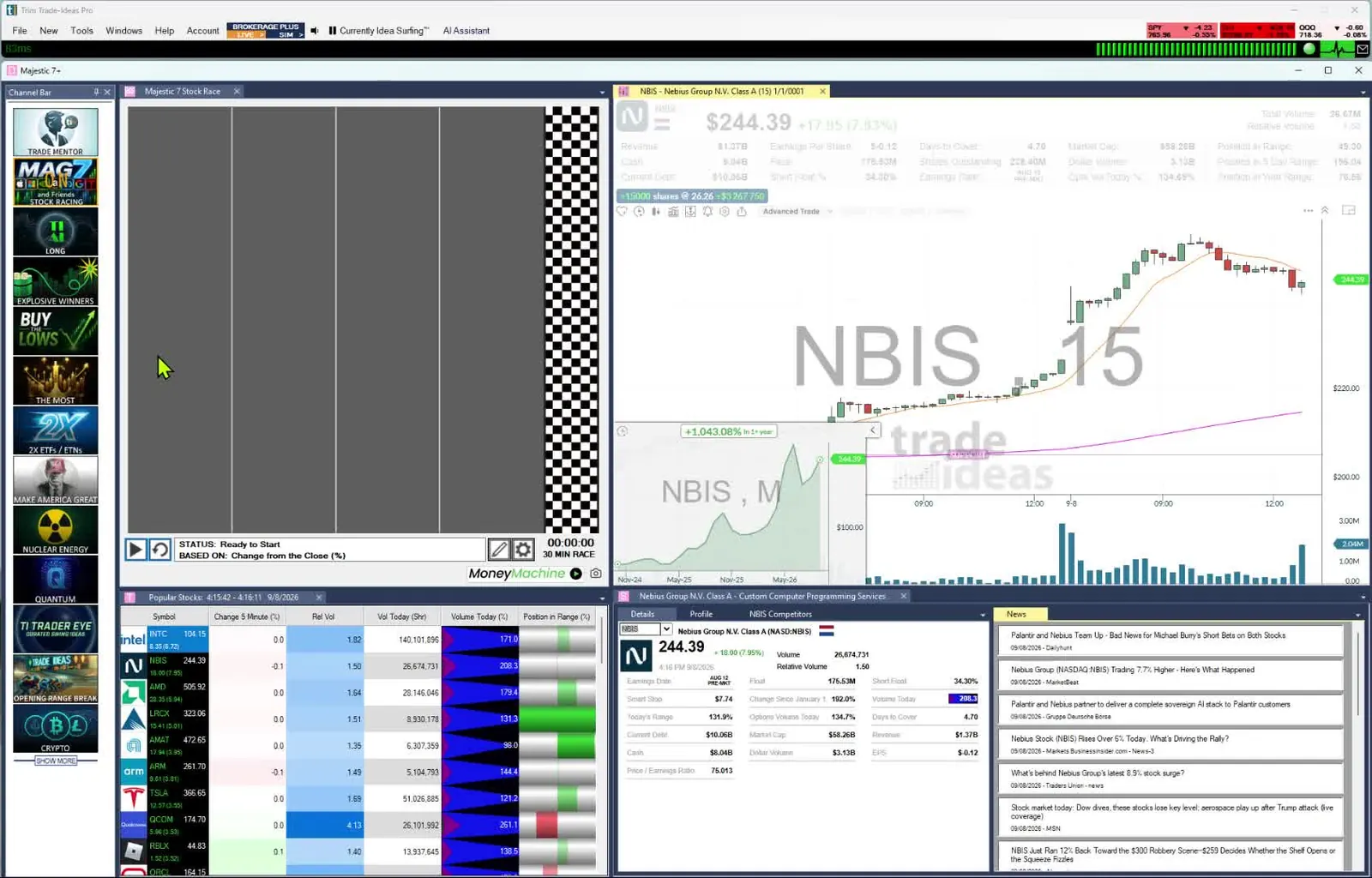
If you are a beginning trader and want the premium experience, Trade Ideas was designed with you in mind. There is no need to configure anything. As the market moves, you watch its speed, power and momentum unfold live.
There is room to grow. When you are ready, you can build your own scans from 308 alerts and 249 filters. You can test them in OddsMaker, automate them with Money Machine and add Holly AI Signals. New to trading? Start with our guide for beginners.
VectorVest is also built with new investors in mind, with one number and a plain Buy, Sell or Hold for each stock. The difference is the job. VectorVest helps a new investor choose and hold stocks. Trade Ideas helps a new trader watch the market move and learn to act on it.
Both let you test an idea before you risk money. VectorVest's AutoTimer backtests a trading plan. You pick a VectorVest market timing system, a strategy, stop rules and dates. VectorVest's pricing page lists AutoTimer on Enhanced and Premium.
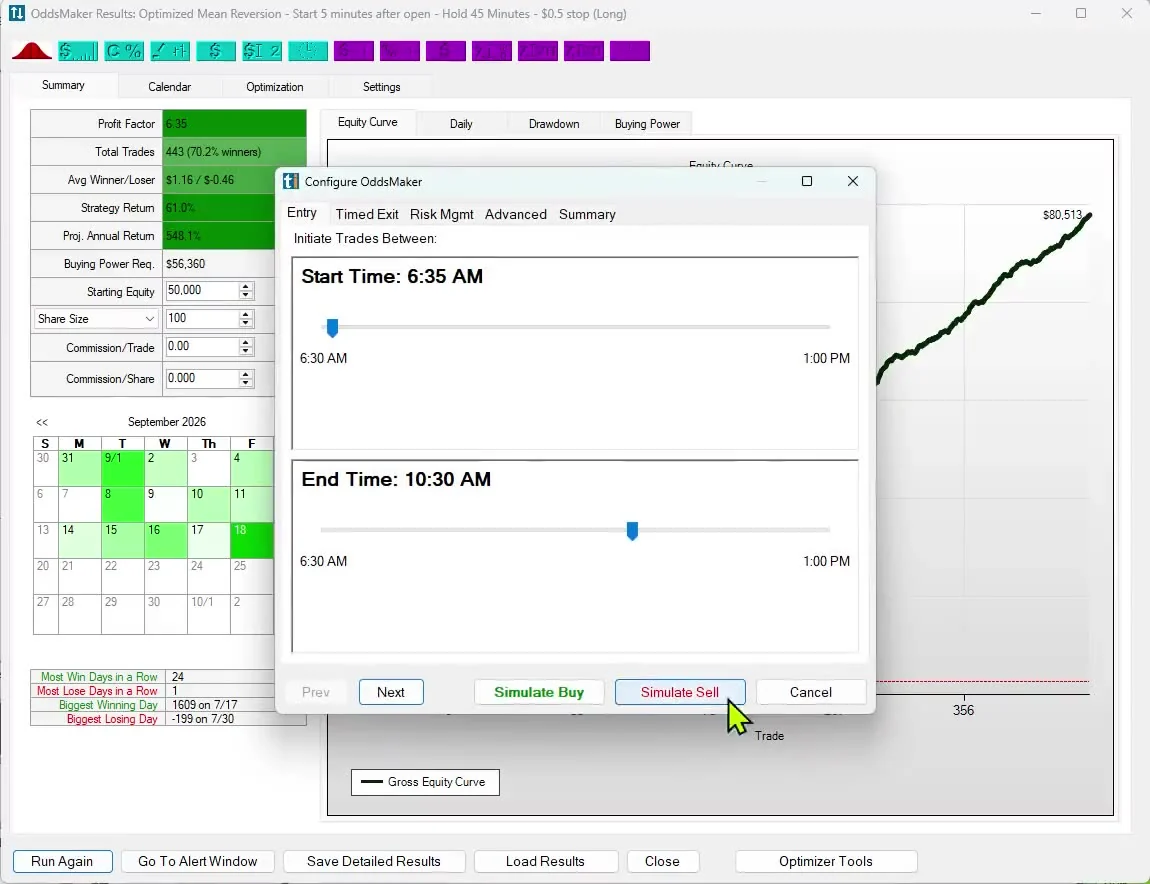
OddsMaker tests a different kind of idea. It replays your alert and filters across all stocks over past trading days, using Trade Ideas history. You set your own entry, stop and exit rules. It reports the trades, win rate and profit factor. OddsMaker will reveal a setup that only works in the first 30 minutes before your account has to learn it the hard way.
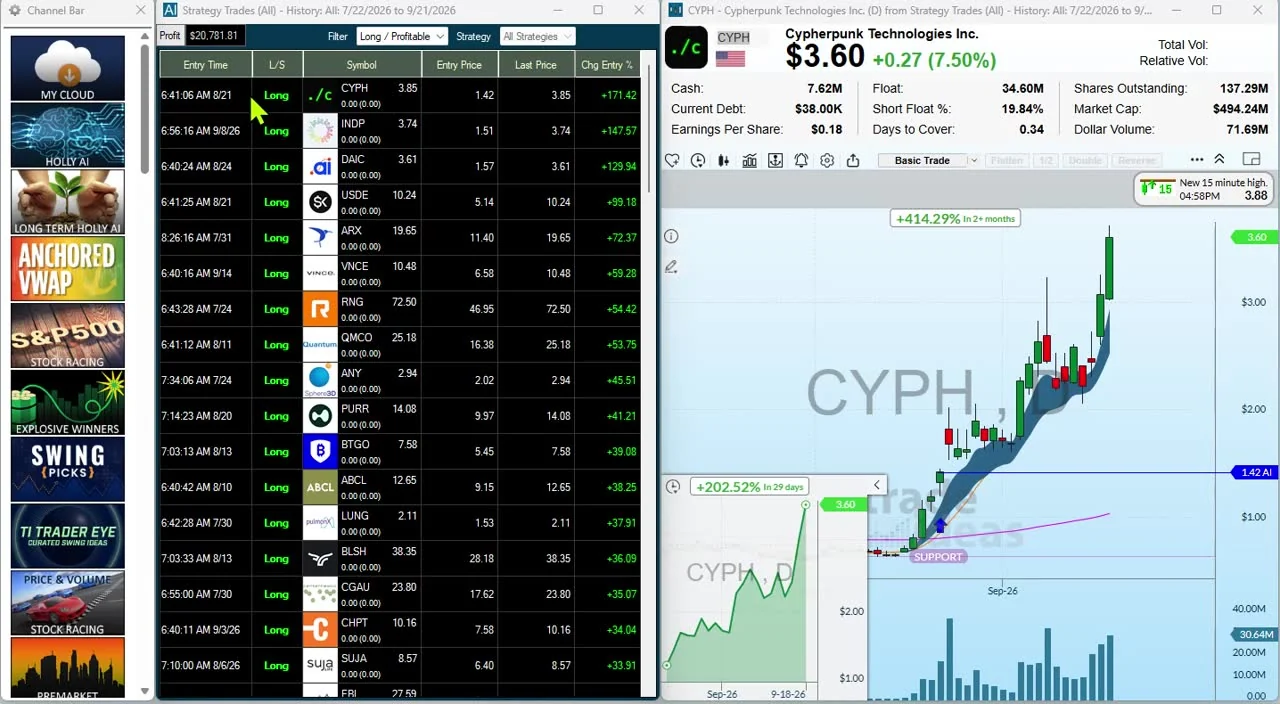
Holly AI Signals fire during the trading day with a symbol, an entry and a stop to manage risk. Holly is designed to look for stocks with large long-term potential. Many signals won't work out. You choose whether to exit the same day or hold, based on your risk.
Every night Holly runs OddsMaker-style tests to choose which strategies to use. It is not tied to one style or one holding period. See Holly AI Signals.
Money Machine places trades from the Top Lists (Screeners) and Streaming Alerts you set up, with a stop and target for each stock based on its volatility. Orders go through Brokerage Plus to a connected broker. Simulated Mode lets you see it trade with no real money at stake first.
VectorVest's automation works differently. RoboTrader sends you alerts when your trading plan says to buy or sell. You review and approve each pre-filled trade before it goes to your broker. VectorVest lists a 30-day intro period for RoboTrader. Its price is not listed on the product page.
Live market data drives Trade Ideas Streaming Alerts. Each one can fire on every trade, even several times within a second. If you are okay with static non-refreshing data, Trade Ideas is probably not your best choice.
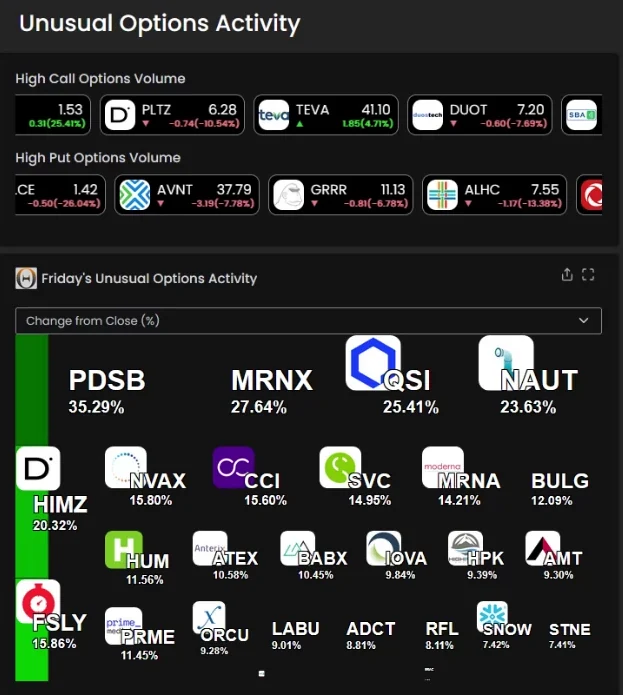
Trade Ideas also monitors unusual options activity across all stocks, using a dedicated channel found in both TI Pro and the Web Dashboard. VectorVest's options tool does a different job. Options Launchpad, powered by OptionsPlay, compares option strategies for a stock you already like. It is an add-on for VectorVest 7 subscribers at $69/mo, or $695/yr for annual customers. When unusual options volume is part of how you pick stocks, look at the options volume filter.
VectorVest centers on its stock ratings, while Trade Ideas centers on catching stocks the moment volume shows up. If that second job is yours, Trade Ideas is often the stronger pick.
Weighing VectorVest or Trade Ideas? Here is what you can check for yourself.
VectorVest is known for its stock ratings. Trade Ideas has a live rating too, SCoRE, and then adds real-time tools for the trading day. Streaming Alerts (Scanner) watch every US exchange, plus off-exchange trades and the NBBO, as trades happen, while some VectorVest plans run on delayed or end-of-day data. The Channel Bar gives a newer trader ready-made scans, and the AI Assistant is in both plans. TI Premium adds Holly AI Signals and OddsMaker backtesting. Start with a free account, just an email.
Prices checked October 2026
VectorVest: Market Launchpad is $49.99/mo, or $499/yr billed annually (about $42/mo). Enhanced is $99/mo, or $995/yr (about $83/mo). Premium is $149/mo, or $1,495/yr (about $125/mo). Enhanced and Premium include Market Launchpad and the Stock Advisory Premium+ app. Market Launchpad starts with a $0.99 30-day intro period (Enhanced and Premium, $9.95) and then renews at the standard price. Add-ons: RealTime Derby is $99/mo or $1,095/yr, and it needs Premium. Options Launchpad is $69/mo, or $695/yr for annual customers. Super WatchDog is $99/mo or $995/yr. RoboTrader's price is not listed.
Trade Ideas: TI Standard costs $127 per month month-to-month, or $1,068 per year (about $89/mo). The higher plan, TI Premium, is $254 per month or $2,136 per year (about $178/mo). TI Premium adds Auto Trading (Money Machine), OddsMaker backtesting and Holly AI Signals. What both plans share: simulated trading, customizable scans and screeners, 308 alerts and 249 filters, the Channel Bar and the AI Assistant, both in TI Pro.
Trade Ideas. Its job is finding stocks while they are moving. Alerts can fire on every trade, multiple per second, and the Top List (Screener), updated every 15 seconds, orders the stocks that qualify. VectorVest focuses on daily stock ratings and market timing for investors. Its own product page says that if you open and close positions in the same session, a 15-minute delay changes your entry, so its real-time Premium plan is the right fit. Trade Ideas is not only for day traders, either. Holly AI Signals fire during the trading day, and you choose whether to exit the same day or hold.
VectorVest lists several real-time tools. Real-time U.S. data is on its Premium plan, where its preset screeners and Buy, Sell, Hold ratings update as the market moves. Premium also includes WatchDog, which checks the stocks you select tick by tick for MACD or support and resistance conditions. RealTime Derby, a $99 a month add-on that needs Premium, ranks the live performance of 100+ long and 30+ short strategies during the day. Market Launchpad and Enhanced use 15-minute delayed data. We did not find a VectorVest scanner that reports each price or volume event across every stock as it happens. That is the job of Trade Ideas Streaming Alerts.
Yes. SCoRE, the Stock Composite Rating, is Trade Ideas' own rating of a stock's technical and fundamental strength. It rolls more than 15 metrics, mostly technical plus key fundamental data points, into one number from 30 to 100. A rating of 90 or above is generally excellent, and 80 to 89 is good. SCoRE updates in real time during live market hours.
You can use it as a filter in Streaming Alerts and Top List windows, for example a minimum of 90, paired with liquidity and price filters. Because SCoRE is a filter, called Composite Rating in Trade Ideas, the AI can also use it where appropriate when it designs a strategy, to look for a statistical advantage.
SCoRE is a quality filter, not a buy or sell signal, so confirm with chart structure and risk. See SCoRE explained.
Yes. If you are a beginning trader and want the premium experience, Trade Ideas was designed with you in mind. You can skip setup altogether. Channel Bar channels, in every TI Pro plan, follow themes like big momentum movers or S&P 500 stocks moving up fast. Barrie Einarson hosts the free Trade Ideas Trading Room, where a whole community of traders gathers. Later you can take on OddsMaker, Money Machine, Holly and 308 alerts and 249 filters. See our guide for beginners.
On Oct 6, 2026, VectorVest listed Market Launchpad at $49.99 a month, Enhanced at $99 a month or $995 a year, and Premium at $149 a month or $1,495 a year. Market Launchpad starts with a $0.99 30-day intro period; Enhanced and Premium start with a $9.95 30-day intro period. Real-time U.S. data is on Premium. RealTime Derby is a $99 a month add-on that needs Premium. For Trade Ideas, the same check showed TI Standard at $127 a month ($1,068 a year) and TI Premium, which carries Holly AI Signals, OddsMaker and Money Machine, at $254 a month ($2,136 a year).
Yes, in both. VectorVest's AutoTimer backtests trading plans built from its strategies, market timing systems and stop rules. Its pricing page lists AutoTimer on Enhanced and Premium. Trade Ideas OddsMaker, on TI Premium, replays an alert and filters across all stocks over past trading days, with your own entry, stop and exit rules. It reports the trades, win rate and profit factor.
VST is VectorVest's overall stock rating. It combines Relative Value (RV), Relative Safety (RS) and Relative Timing (RT). VectorVest says each one runs from 0 to 2, with 1 as average, and above 1.00 is favorable. VectorVest uses them to give a Buy, Sell or Hold call on every stock.
Prices checked October 2026. Sources: vectorvest.com/product-pricing; VectorVest 7 products; Market Launchpad; RealTime Derby; WatchDog; Super WatchDog; RoboTrader; Options Launchpad; plus the ProTrader and AutoTimer pages on vectorvest.com (not linked here).
For Trade Ideas, the source is trade-ideas.com/pricing, read on October 6 as well.
Free account, just an email. No card. Live access for a limited time. Ready to buy? See plans & pricing