
Light Mode

Same Real-Time Scanning, Plus Holly, OddsMaker and Money Machine
Scanz is the closest like-for-like comparison we have. Both tools watch U.S. stocks in real time and push matches to you without a refresh, and Scanz bundles news, SEC filings and Level 2 next to its scans. The difference is what happens after the scan. Trade Ideas adds Holly AI Signals, OddsMaker testing of your own setups, and Money Machine to automate them, all on the same desk.
More than two tools on your list? Scanz alternatives are sorted by what each one is for.
Free account, just an email. No card. Live access for a limited time.

Named to the Inc. 5000 list of America’s fastest-growing private companies six years in a row (2017–2022).
Investopedia: Best Short Term Stock Screener, 2024
Both are built for the same trader: someone watching U.S. stocks during the session who needs to see a move as it happens, not on the next refresh. Scanz says its scans update every 500 milliseconds on paid plans and that its Signal Scanner streams events as they fire. It covers NYSE, Nasdaq, AMEX and OTC, from 4:00 AM to 8:00 PM ET. Its homepage lists 15+ breakout events including block trades, and its pricing page cites 400+ real-time filters.
Scanz's Signal Scanner streams technical events; in Trade Ideas each event is its own alert. The help documents 308 alerts and 249 filters, including 2-minute opening range breakouts (with breakout and breakdown versions at 1, 2, 5, 10, 15, 30 and 60 minutes), a 15-minute narrow range sell bar and a 15-minute 1-2-3 buy signal. Any alert can be filtered with any group of filters, each with a min and max, and 191 alerts have an extra setting, such as the volume ratio on a 1-minute volume spike. With one alert and two filters there are more than 9.5 million pairings, and the full set of combinations is effectively unlimited.
Trade Ideas splits the same job into two tools. Streaming Alerts (Scanner) are the scanner: named events such as a new high, a 1 minute volume spike or a halt reach your Alert Window as they happen. The Top List (Screener) is the screener, a ranked list of stocks that meet your criteria right now. Between them you get 308 alerts and 249 filters, and you can script your own in the Formula Editor.
If all you need is a fast, configurable real-time scanner, either one will do the job. The rest of this page is about what each adds on top.
| Feature | Scanz (from its own site) | Trade Ideas |
|---|---|---|
| Real-time scanning | Data, Signal, News and SEC Filing scans; updates every 500 ms on paid plans. | Streaming Alerts and the Top List (Screener), with 308 alerts and 249 filters. |
| News and filings | News Scanner streams SEC filings and five press-release newswires, filterable by type and keyword. | Focused on price, volume and market events rather than a news terminal. |
| Level 2 and prints | Filterable Level 2, time and sales, and prints linked to scan results. | Charts and order windows in TI Pro; not a Level 2 tool. |
| AI trade signals | Not described on its site. | Holly AI Signals (TI Premium). |
| AI Assistant (plain-English scan builder) | Check their site. | Included in every TI Pro plan |
| Backtesting | Not listed on its pricing page or FAQ. | OddsMaker (TI Premium). |
| Placing trades | Broker integrations "coming soon"; FAQ says you switch to your broker. Ultra ($999/mo) lists automated trading hooks and API access. | Brokerage Plus, chart trading and Money Machine in TI Pro, through connected brokers. |
| Options | FAQ: no options scanning. | Unusual options activity channel in TI Pro and the Web Dashboard. |
| Markets | U.S. stocks: NYSE, Nasdaq, AMEX and OTC (free plan: Nasdaq only). | U.S. stocks. |
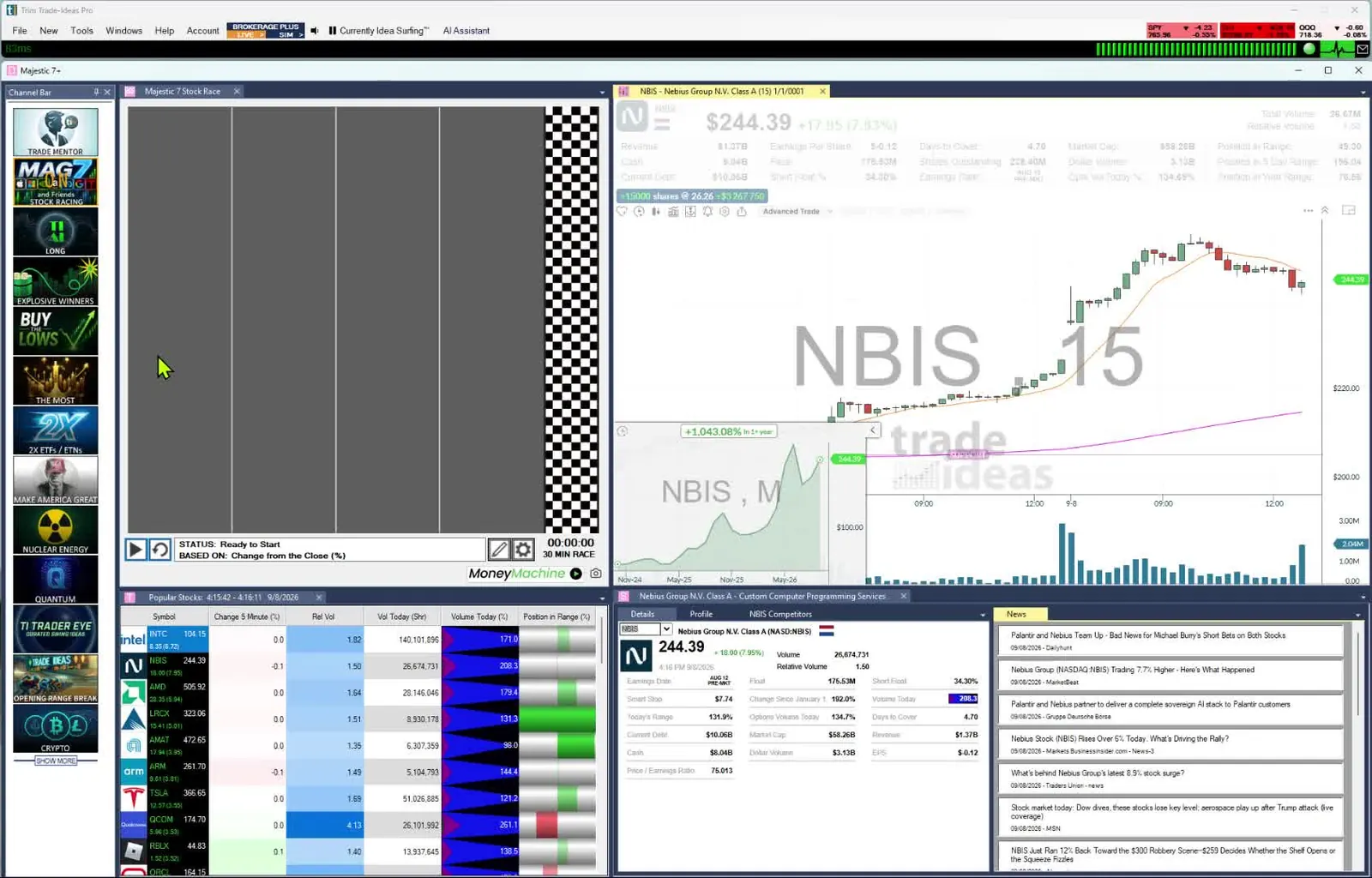
| Runs on | Web app on all plans; Windows and Mac desktop on Pro; mobile web. | TI Pro on Windows (a Mac can run it through Parallels), plus the browser-based Dashboard (no download, any browser) for TreeMaps, Top Lists, Races, Market Pulse, Picture in Picture charts, and stock details and news. |
| List price (monthly / annual) | Scanz plans listed on scanz.com (see costs section). | TI Standard $127/mo or $1,068/yr; TI Premium $254/mo or $2,136/yr. TI Premium is the plan with Money Machine, OddsMaker and Holly AI Signals. |
Competitor prices and features checked October 12, 2026.
Scanz details checked on scanz.com on Oct 5, 2026. "Not listed" means we could not find the feature on Scanz's pricing page, FAQ or features page.
Scanz treats news as a first-class scan. Its News Scanner pulls SEC filings plus Newsfile, PR Newswire, Globe Newswire, AccessWire and BusinessWire, and lets you filter by news type, headline keyword and stock characteristics in the same scan. If you trade catalysts, such as earnings, offerings and press releases on small caps, that is a real workflow advantage.
Its decision tools sit right beside the scanner: filterable Level 2 with bid and ask depth, time and sales, and prints you can link to any scan. OTC coverage on paid plans and a native Mac desktop app on Pro round it out. Scanz keeps shipping, too; its August and September 2026 release notes added a rebuilt navigation, scan templates, a Market Sessions view and a shared toolbar across scanners.
A scanner hands you names, and then the decision comes down to judgment. OddsMaker takes the exact alert and filters you trade, replays them across all stocks over past trading days, and shows the trades they would have produced, the win rate and the profit factor under your own entry, stop and exit rules. Scanz doesn't list anything comparable, so this is a clear difference between the two.
Past results, including backtests, don't guarantee future results.
Holly AI Signals fire during the trading day with a symbol, an entry and a stop to manage risk. Holly is designed to look for stocks with large long-term potential. Many signals won't work out. You choose whether to exit the same day or hold, based on your risk.
Holly chooses its strategies by running OddsMaker-style tests each night, then keeps only the ones that pass. See Holly AI Signals.
What happens after the data arrives is where the two part ways. Scanz's docs describe three scanners, Data, Signal and News, that share one engine of 65+ filters, with the Data Scanner updating twice per second (Scanners 101, checked Oct 7, 2026). Those docs cover scanning, alerts and watchlists; they do not describe a step that tests, optimizes or selects strategies.
In Trade Ideas the same data keeps going: you build measurements of your own in the Formula Editor, use them in strategies, test and optimize those strategies in OddsMaker with breakdowns by time of day, price and symbol, and Holly re-selects her strategies every night for the next session. You need TI Premium for OddsMaker and for Holly AI Signals. Our Data Difference page maps each step.
On Oct 5, 2026, Scanz's homepage still read "Execute Coming soon in May 2026!" and its FAQ said broker trading integrations "are on the roadmap but not shipped yet." In Trade Ideas Pro you send orders to a connected broker from the window that found the stock, with one-click Brokerage Plus orders or chart trading. Money Machine goes further: it trades from your own Top Lists (Screeners) and Streaming Alerts and manages each position with its own stop and target. See the supported brokers.
This is one comparison where both sides take real time seriously, which is exactly why traders weigh them against each other. Scanz no longer offers a free delayed plan, and the same rule applies to us: If you are okay with static non-refreshing data, Trade Ideas is probably not your best choice.
Scanz's FAQ says it has no options scanning. Trade Ideas also monitors unusual options activity across all stocks; a dedicated channel for it sits in TI Pro and the Web Dashboard. If unusual options volume is one of your catalysts, start with the options volume filter.
Choose Trade Ideas for live alerts across the whole US market and Scanz for news, filings and Level 2 next to its scans. A lot of active traders run the two in tandem.
If it is Scanz or Trade Ideas for your next setup, start here.
Scanz and Trade Ideas both scan US stocks in real time, so the choice comes down to what you do after a stock shows up. Scanz leans into news, filings and Level 2. Trade Ideas leans into proof: OddsMaker on TI Premium tests a setup on past data before you trade it, and Holly AI Signals publish finished ideas. Data comes from every US exchange, plus off-exchange trades and the NBBO. The Channel Bar's ready-made scans and the AI Assistant come with both plans, and a free account takes only an email.
Scanz: No free plan (Scanz dropped it; Starter and Pro have a 7-day free period). Starter, $89/mo: web and mobile, one scan running at a time, one saved scan of each type, one 20-symbol watchlist. Pro, $199/mo: desktop app, unlimited saved scans, alerts and watchlists, multi-monitor layouts. Ultra, $999/mo: concierge scan building, API access and automated trading hooks. Month to month, with a 7-day free period on Starter and Pro.
Trade Ideas: On monthly billing, TI Standard is $127 and TI Premium is $254. Paid yearly, they are $1,068 (about $89/mo) and $2,136 (about $178/mo). TI Standard comes with real-time data, customizable scans and screeners, 308 alerts and 249 filters, paper trading, in-app trading and AI Assistant; TI Premium adds Holly AI Signals, OddsMaker backtesting and Auto Trading (Money Machine).
Yes. Scanz's FAQ says paid-plan scans update every 500 milliseconds, with pre-market and after-hours sessions included on Starter and Pro. The free plan is delayed 30 minutes. Trade Ideas Streaming Alerts are also real-time and report each event as it happens.
Scanz has a Signal Scanner that streams technical events such as new highs, crossovers, relative volume and block trades. Its site does not describe AI-generated trade signals. Holly is the Trade Ideas artificial intelligence and brings you trade ideas during the session on the TI Premium plan.
Scanz's pricing page and FAQ do not list a backtesting or strategy-testing tool. Trade Ideas includes OddsMaker, which replays any alert and filter set across past trading days and reports the trades, win rate and profit factor.
Not as of October 2026. Scanz's FAQ says broker trading integrations are on the roadmap but not shipped, so you switch to your broker to place orders, and its homepage still showed "Execute Coming soon in May 2026!" Trade Ideas Pro sends orders to connected brokers today through Brokerage Plus, chart trading and Money Machine.
Scanz offers a web app on every plan and Windows and Mac desktop apps on Pro. Trade Ideas Pro is a Windows app, and it runs on a Mac through Parallels. You can also open the Trade Ideas Dashboard in your browser: there is nothing to install, and it covers Market Pulse, TreeMaps, Races, Top Lists (Screeners), an Unusual Options Activity channel, stock details and news, and charting with Picture in Picture. Streaming Alerts, the AI Assistant, Holly AI Signals and OddsMaker need TI Pro, with Signals and OddsMaker on TI Premium.
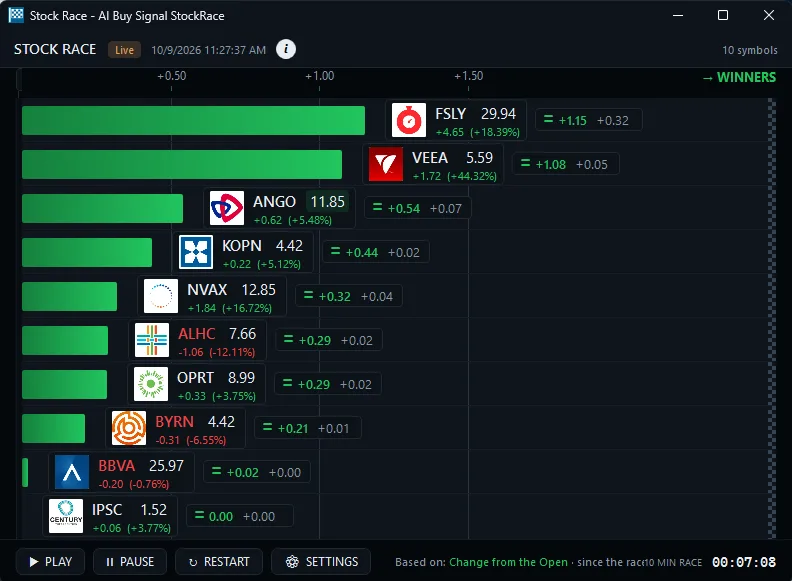
Yes. Trade Ideas suits beginners who want the premium experience, and it works without any setup. The Channel Bar is part of every TI Pro plan, and so is the AI Assistant. Choose a themed channel, for example S&P 500 stocks moving up fast or big momentum movers. Stock Races show you, in real time, which stocks are pulling ahead. Barrie Einarson leads the free Trading Room, home to a whole community of traders. Rehearse your entries in paper trading before any money is at stake. The bigger toolkit of 308 alerts and 249 filters, Holly AI Signals, OddsMaker and Money Machine is there once you outgrow the basics. See our guide for beginners.
Prices checked October 2026. Sources (all on scanz.com, listed as text per our linking policy for this page): the homepage, /pricing/, /features/, the FAQ and /release-notes/september-2026/. Trade Ideas plans came from trade-ideas.com/pricing the same day.
Scanz updates often, as its monthly release notes show, so check scanz.com for anything that may have changed since.
Free account, just an email. No card. Live access for a limited time. Ready to buy? See plans & pricing