
Light Mode

The short answer: The best stock scanner depends on how you trade. For day trading and AI signals, our pick is Trade Ideas: Streaming Alerts report each event as it prints, Top Lists refresh every 15 seconds, and Holly AI Signals (TI Premium) come with an entry and a stop to manage risk.
Free account, just an email. No card. Live access for a limited time.

Named to the Inc. 5000 list of America’s fastest-growing private companies six years in a row (2017–2022).
Investopedia: Best Short Term Stock Screener, 2024
For visual screens and heat maps, Finviz. For technical charts, TradingView. For long-term fundamentals, Stock Rover. For swing trading, Trade Ideas: Holly AI Signals look for large gainers that can run for weeks or months.
Written by Daniel Mirkin, CEO of Trade Ideas, which makes one of the tools compared here.
How you trade decides which scanner is right. One honest pick for each style, with what it costs:
| Trading style | Our pick | Why | Cost (Oct 2026) |
|---|---|---|---|
| Day trading | Trade Ideas | Streaming Alerts (Scanner) report a new high, a volume spike or a halt as it prints; Top Lists (Screeners) refresh every 15 seconds. 308 alerts and 249 filters. | TI Standard $89/mo billed annually ($1,068/yr) or $127 monthly |
| AI signals | Trade Ideas | Holly AI Signals arrive intraday with an entry and a stop to manage risk. The AI Assistant, which builds scans from plain English, is in every TI Pro plan. | TI Premium $178/mo billed annually ($2,136/yr) or $254 monthly |
| Swing trading | Trade Ideas | Every trade starts during the trading day; what matters is what you hunt. Holly AI Signals hunt unusual behavior and large gainers, not quick in-and-out trades, and some picks keep running for weeks or months. OddsMaker tests multi-day holds. Top Lists are also on TI Standard. For daily-chart scans with EasyScan, TC2000 is a strong option. | TI Premium $178/mo billed annually ($2,136/yr) or $254 monthly |
| Visual and heat maps | Finviz | Market heat maps and a fast visual screener; intraday maps on Elite. | $0 free; Elite $24.96/mo billed annually ($299.50/yr) or $39.50 monthly |
| Technical charting | TradingView | Charts across stocks, ETFs and crypto on 150+ exchanges, with screeners of 500+ fields. | Basic $0; paid from $12.95/mo billed annually |
| Long-term fundamentals | Stock Rover | 300+ metrics and 5-year fundamentals on Premium; 700+ metrics and 10 years on Premium Plus; portfolio reports. | Premium $29/mo billed annually ($348/yr) or $34 monthly |
| Free | Finviz (free version) | Screener, heat maps and charts with a free account. Quotes are delayed and screens refresh every 3 minutes. | $0 |
Competitor prices and features checked October 12, 2026.
We make Trade Ideas, so weigh our view and try the tools yourself. More detail: day trading, swing trading, free scanners, AI trading software, Trade Ideas vs Stock Rover.
Sources for this table, checked October 9, 2026: trade-ideas.com/pricing; tc2000.com/pricing; finviz.com/elite; tradingview.com/pricing; stockrover.com/plans.
The answer depends on when you look at the market. A trader who acts during the session needs a different tool from an investor who reviews stocks on the weekend.
For live discovery, we pick Trade Ideas. We make it, so weigh our view and try the tools yourself. For research after the close, a screener such as Finviz or Stock Rover can do the job for less money.

Many lists use the two words as if they mean the same thing. They do different jobs.
Trade Ideas gives you both, fed by the same live market data. You can test either one in OddsMaker before you trade it.
If the screener is what you need, see the best real-time stock screeners.
A scanner earns its keep by telling you something in time to use it. So every tool faced the same 8 questions. Each one is a column in the table.
Our source for every fact was the company itself, on October 6, 2026. How we checked lists them.
| Tool | Built for | Live data | How you find stocks | Strategy testing | AI help | Price (list) |
|---|---|---|---|---|---|---|
| Trade Ideas | Day traders and active traders who want stocks surfaced as they move | Every plan streams live market data | Streaming Alerts (the scanner, 308 alerts) and Top Lists (the screener, 249 filters, every 15 seconds); Channel Bar presets; SCoRE rating; the AI Assistant builds windows from plain English | OddsMaker tests alert-and-filter setups without code (TI Premium) | Holly AI Signals on TI Premium; the AI Assistant on every TI Pro plan | TI Standard: $1,068 a year or $127 month to month. TI Premium: $2,136 a year or $254 month to month |
| TradingView | Traders who start from the chart | Paid plans refresh the screener every 10 seconds or every minute | Screeners with 500+ technical and fundamental fields, Pine Screener and alerts | Strategy tester plus Bar Replay | AI requests in the screener on paid plans | Free Basic plan; paid tiers at $12.95, $29.95 and $59.95 a month on annual billing |
| Finviz Elite | Evening prep, quick fundamental screens and heat maps | Delayed on the free version; Elite is real-time from 4:00 a.m. to 8:00 p.m. ET | Advanced filters and alerts; Elite refreshes every 10 seconds, the free version every 3 minutes | None listed | None listed | Free version; Elite $299.50 a year or $39.50 month to month |
| Scanz | Traders who already know the exact conditions they want | Real-time on all plans, premarket and after hours included | 400+ filters, plus news and SEC filing scans; Starter runs one scan at once, Pro has no limit | None listed | None listed | $89 (Starter), $199 (Pro) or $999 (Ultra) a month; 7-day intro period |
| Benzinga Pro | Catalyst and news traders | Nasdaq Basic quotes starting on Basic; the Real-Time Scanner starts on Essential | Audio squawk, newsfeed filters, and a scanner over 3,000+ stocks on Essential | None listed | Benzinga AI on Essential | $37 (Basic), $147 (Streamlined) or $197 (Essential) a month; 14-day intro period |
| TrendSpider | Technical traders who want chart work automated | Real-time U.S. stock data for non-pro users; scan frequency from every 2 hours to every minute, by plan | Scheduled, strategy and multi-timeframe scans | Backtests, including across many symbols at once | Sidekick (25 messages a month) and AI strategy analysis | Standard runs $59 to $89 a month depending on the billing term; top plan $349 a month; 14-day paid intro period |
| TC2000 | Budget-minded chart and swing traders | Nasdaq Basic real-time quotes; real-time scanning needs Premium | EasyScan from indicators, formulas and chart values, up to 5 streaming at once | None listed | None listed | $24.99 (Basic), $49.99 (Premium) or $99.99 (Premium+) a month; paper trading included |
| thinkorswim | Schwab clients, including options traders | Schwab does not publish a scan refresh rate | Stock Hacker custom scans written with thinkScript | Strategy testing in thinkScript | None listed | No charge and no account minimum for Schwab clients |
| Stock Rover | Long-term investors doing fundamental research | Real-time email alerts listed; it is a research tool rather than an intraday scanner | 300+ metrics on Premium, 700+ on Premium Plus | Historical screening on Premium Plus; no backtester listed | None listed | Premium $29 a month on annual billing or $34 monthly; top plan $199 a month; 14-day intro period |
| VectorVest | Investors who want ratings and market-timing guidance | Real-time U.S. data on Premium; lower plans run 15 minutes behind | Preset screeners ranked automatically | None listed | None listed | $49.99, $99 or $149 a month, or $499 to $1,495 a year; free coaching session |
Competitor prices and features checked October 12, 2026.
Only care about how fast the list updates? Our real-time stock screener guide compares refresh rates and streaming alerts.
"Not listed" is our label for anything absent from the company's own pages.
Trade Ideas is our pick because it covers both halves of the job. Streaming Alerts are the scanner, and Top Lists (Screeners) are the screener. One tells you what just happened. The other shows what is leading right now.
Counted, not estimated. Our help documents 308 alerts and 249 filters, one page each. Technical events are alerts, each with a bullish and a bearish version on several timeframes: 15-minute bullish engulfing, 5-minute downward thrust, Fibonacci 62% sell signal, and opening range breakouts and breakdowns at 1, 2, 5, 10, 15, 30 and 60 minutes such as the 10-minute breakout. Any alert pairs with any filters, each with a min and a max, and 191 alerts have their own extra setting. With one alert and three filters there are more than 788 million pairings, so the scans you can build are effectively unlimited.
See the move as it happens. Streaming Alerts can fire on every trade. That can be multiple times per second: a new high, a burst of volume or a halt. Every plan runs on live market data. You never press a refresh button, so the list in front of you is the market you are trading.
Skip the setup. The Channel Bar, in every plan, opens ready-made channels such as Big Momentum Movers. Every TI Pro plan also has the AI Assistant, which turns a plain-English request into a scan. For full control, you can build from 308 alerts and 249 filters.
Filter for quality. SCoRE is the Composite Rating filter, scored from 30 to 100. It narrows a list. It never tells you to buy or sell.
Test it, then act. OddsMaker runs a scan back through Trade Ideas history, no coding needed. Holly AI Signals arrive intraday with a symbol, an entry and a stop to manage risk. Holly hunts for large, long-term potential winners, so the exit is yours: same day or later. Both come with TI Premium.
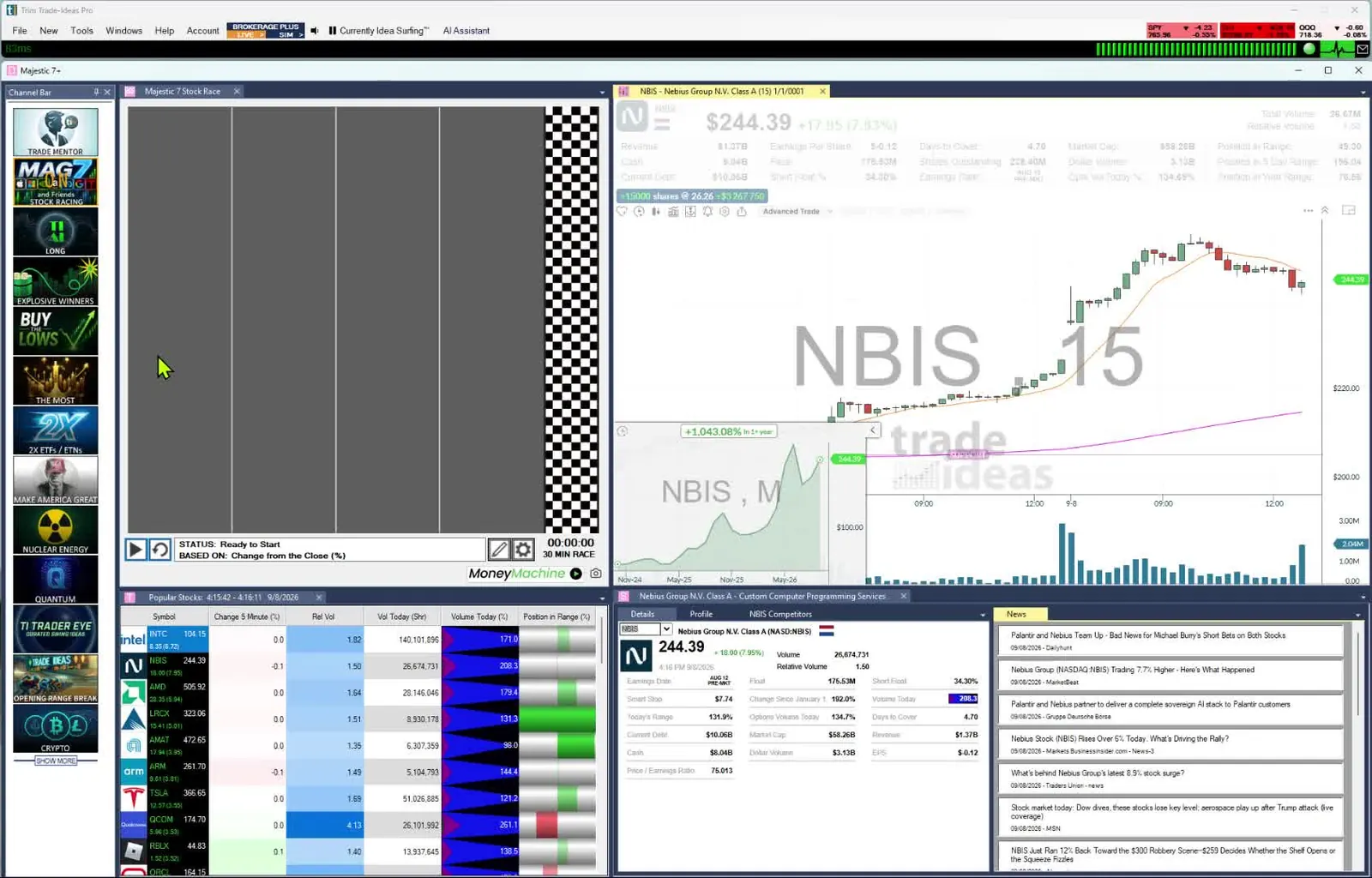
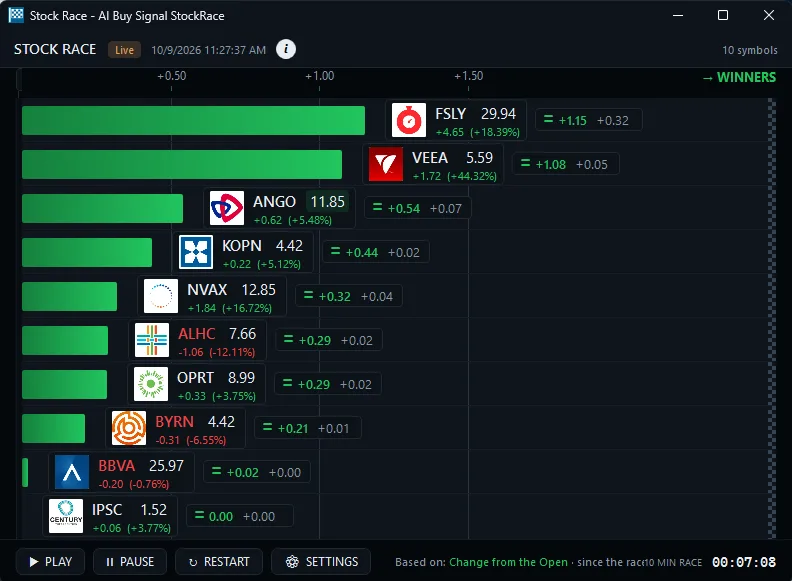
Learn it with people. Learn beside mentor Barrie Einarson and other members in the free Trading Room. Stock Races let you feel how fast the market moves.
Price: For TI Standard, pay $127 a month or $1,068 up front for the year. For TI Premium, pay $254 a month or $2,136 up front for the year.
Worth knowing: Trade Ideas covers U.S.-listed stocks. Its options data is limited to volume-based filters. TI Pro is a Windows app that Mac traders can run through Parallels; the browser-based web Dashboard needs no download and has Top Lists but not Streaming Alerts. To try it before paying, open a free account.
Best for: Finding stocks while they move, testing an idea before trading it, and beginners who want the premium experience. Trade Ideas also monitors unusual options activity across all stocks. See the best unusual options activity scanners.
TradingView is the chart many traders already know. Its screeners span stocks, ETFs and crypto on 150+ exchanges in 50+ countries.
Worth knowing: Real-time data for some exchanges is an extra purchase. On the free Basic plan, TradingView does not list auto-refresh for screens.
Best for: Chart-first traders. Plenty of them find the stock in Trade Ideas and chart it in TradingView.
Finviz is a quick web screener with market heat maps. It comes free, or as a paid version called Elite.
Worth knowing: Screens auto-refresh every 10 seconds on Elite. The free version refreshes every 3 minutes.
Best for: Evening research and quick fundamental screens. If you only look after the close, the free version may be plenty.
Scanz is a real-time scanner for traders who know exactly what they want. It runs data, signal, news and SEC filing scans.
Worth knowing: Starter runs one scan at a time. The Windows and Mac desktop apps come with Pro.
Best for: Traders with fixed conditions who want news in the same window and can do without AI or backtesting.
Benzinga Pro starts with the news. Audio squawk, a calendar suite and a real-time scanner sit around the headlines.
Worth knowing: Essential ($197 a month) is the plan with the Real-Time Scanner.
Best for: Traders whose ideas start with a headline or a catalyst.
TrendSpider does the chart work for you. Trendline drawing, scans, backtests and order automation are all part of it.
Worth knowing: Scan timing depends on the plan. Standard scans every 2 hours, Premium every 5 minutes, and Enhanced and Advanced every minute. The 14-day intro period is paid.
Best for: Technical traders who want software to handle the chart work.
TC2000 is charting software with scanning built in. The chart comes first, and the scan follows.
Worth knowing: You need Premium for real-time scanning and sorting. Five streaming scans can run at once.
Best for: Chart-centered and swing traders on a budget.
thinkorswim is Schwab's trading software. Its scanner, Stock Hacker, sits right next to your orders.
Worth knowing: It is available to Schwab clients.
Best for: Schwab clients, options traders and swing traders.
Built for long-term investors, Stock Rover handles research and screening. It is built for screening on fundamentals.
Worth knowing: Historical screening comes with Premium Plus.
Best for: Long-term investors who screen on fundamentals.
Trade Ideas vs Stock Rover →
Value, safety and timing are the three things VectorVest rates. It gives buy, sell and hold ratings.
Worth knowing: Market Launchpad and Enhanced show data on a 15-minute delay.
Best for: Investors who want a rating system and timing guidance.
MOMO Pro is a browser-based momentum scanner that also installs as a Progressive Web App.
Some tools on this list rate stocks as well as scan them. VectorVest gives value, safety and timing ratings. Its higher plans add stock scores and fair value estimates.
Trade Ideas has its own rating, called SCoRE (Stock Composite Rating). It runs from 30 to 100. It combines more than 15 metrics, mostly technical, with key fundamental data points. It updates live during market hours.
You can use SCoRE as a filter in Streaming Alerts and Top Lists (Screeners). It is a screen for quality, not a trade signal. Pair it with your chart, your risk plan and liquidity filters.
Because SCoRE is a filter (called Composite Rating in Trade Ideas), Trade Ideas' AI can also use it when it designs a strategy. It brings SCoRE in where it is appropriate to look for a statistical advantage.
Past results, including backtests, don't guarantee future results.
Sometimes they are. If you check stocks once a day, delayed data costs you little.
Free tools get harder to use once you trade during the session. Finviz delays its free quotes, and its free screens refresh every 3 minutes. TradingView's screener auto-refresh is listed on its paid plans.
A paid scanner earns its price when timing matters to you. Pick the cheapest tool that shows you what you need, when you need it.
Trade Ideas pays off when you act while the market is open. If that is not you, a cheaper tool can do the job.
If you are okay with static non-refreshing data, Trade Ideas is probably not your best choice.
Past results, including backtests, don't guarantee future results.
Prices checked October 2026. Sources: trade-ideas.com/pricing/; tradingview.com/pricing/; finviz.com/elite; scanz.com/pricing/; benzinga.com/pro/pricing; trendspider.com/pricing/; tc2000.com/pricing; schwab.com/trading/thinkorswim and schwab.com/trading/thinkorswim/desktop; stockrover.com/plans/; vectorvest.com/product-pricing/. List prices are monthly unless marked. Some vendors showed sale or annual prices; we list what each page showed. Verify any price before you subscribe.
Updates in the edition:
For day trading, AI signals and swing trading, Trade Ideas. For visual screens and heat maps, Finviz. For technical charting, TradingView. For long-term fundamentals, Stock Rover. For free, the free version of Finviz. We make Trade Ideas, so test it yourself.
Trade Ideas plans start at $127 per month for TI Standard and $254 per month for TI Premium, billed monthly; annual plans cost less, at $1,068 a year ($89 a month) for TI Standard and $2,136 a year ($178 a month) for TI Premium. Holly AI Signals, OddsMaker backtesting, Money Machine, Smart Risk Levels and RBI/GBI windows come with Premium. The AI Assistant is in every TI Pro plan. To try it first, open a free account. Prices checked October 2026 on trade-ideas.com/pricing.
Trade Ideas is our pick for finding stocks while they move, and since we make it, test it yourself. For free research after the close, Finviz works well, and chart-first traders often reach for TradingView.
A scanner tells you when something happens, and a screener shows which stocks meet your rules. In Trade Ideas, Streaming Alerts are the scanner. Top Lists are the screener, and they update every 15 seconds.
Yes, if you trade during market hours and need to know what is moving right now. If you only review stocks after the close, a free screener may cover you. Most of the other paid tools here offer a intro period, so check the fit before you pay.
Not without limits. Finviz's free version is delayed, TradingView's free Basic plan does not list screener auto-refresh, and thinkorswim is free only for Schwab clients. Every Trade Ideas plan runs on live market data.
Trade Ideas has Holly, and each Holly AI Signal names an entry and a stop to manage risk. TrendSpider includes Sidekick, Benzinga Pro Essential includes Benzinga AI, and TradingView lists AI screener requests on paid plans. Our AI trading software roundup goes deeper.
Yes. OddsMaker, on TI Premium, replays a scan on Trade Ideas history and shows every trade and its stats, with no code. Past results, including backtests, don't guarantee future results.
Yes. Holly AI Signals fire intraday but aim for large, long-term potential winners, so you can exit the same day or hold. Streaming Alerts can time a swing entry, and a Top List can rank a longer-term watch list.
New to scanners? Start with what a trade scanner is and how streaming works.
More scanners: see all 43 Trade Ideas stock scanners.
Free account, just an email. No card. Live access for a limited time. Ready to buy? See plans & pricing